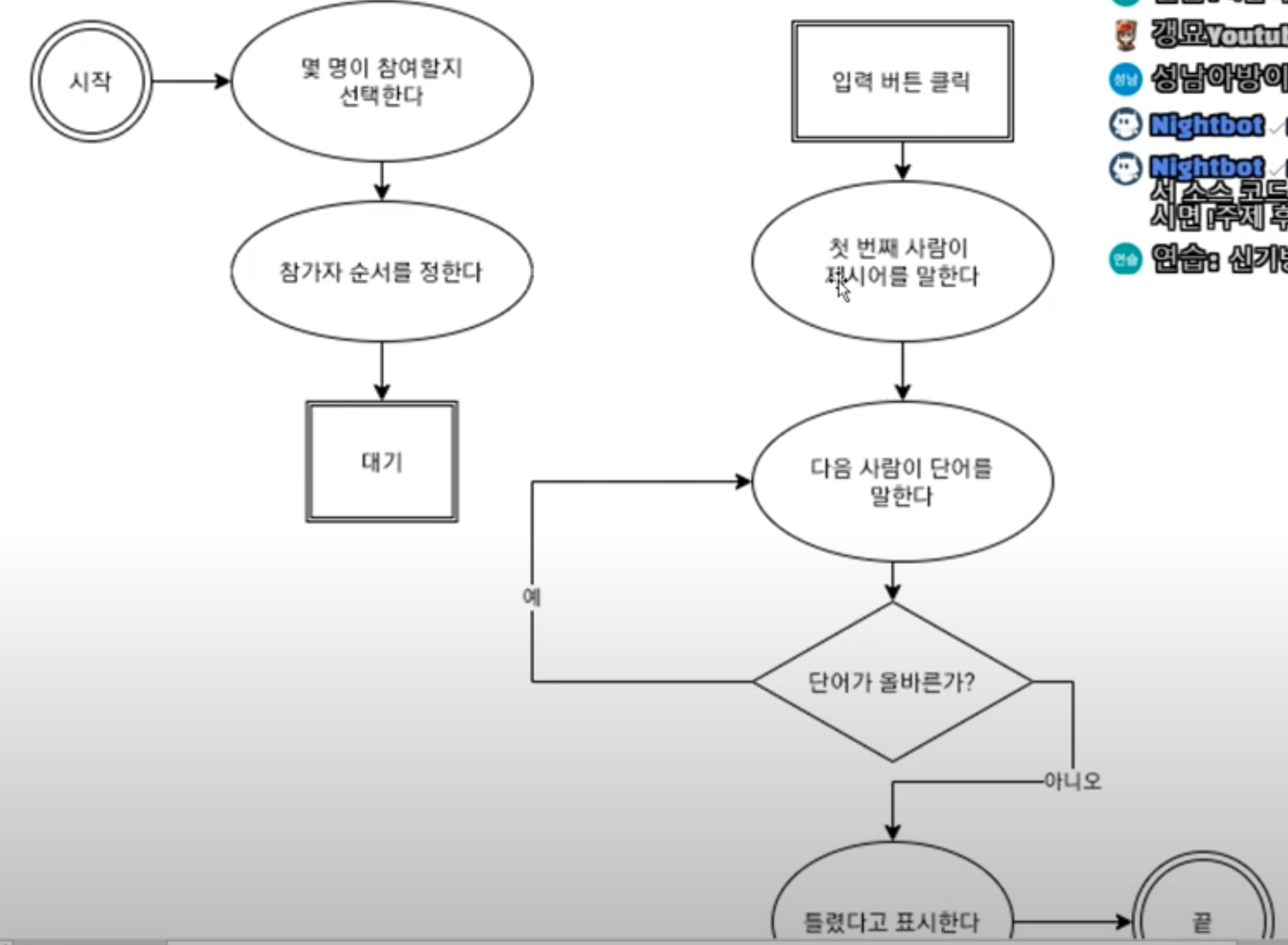
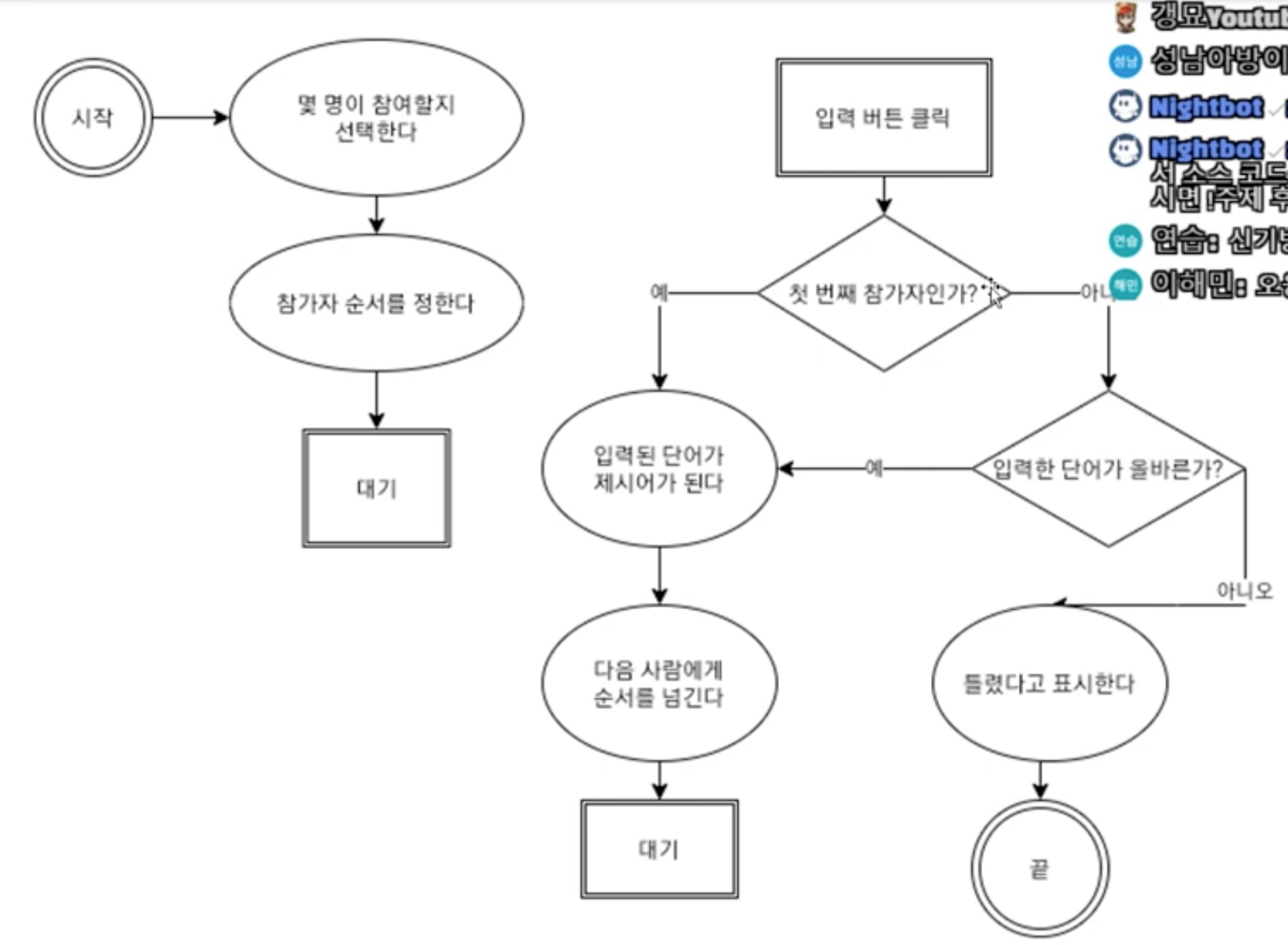
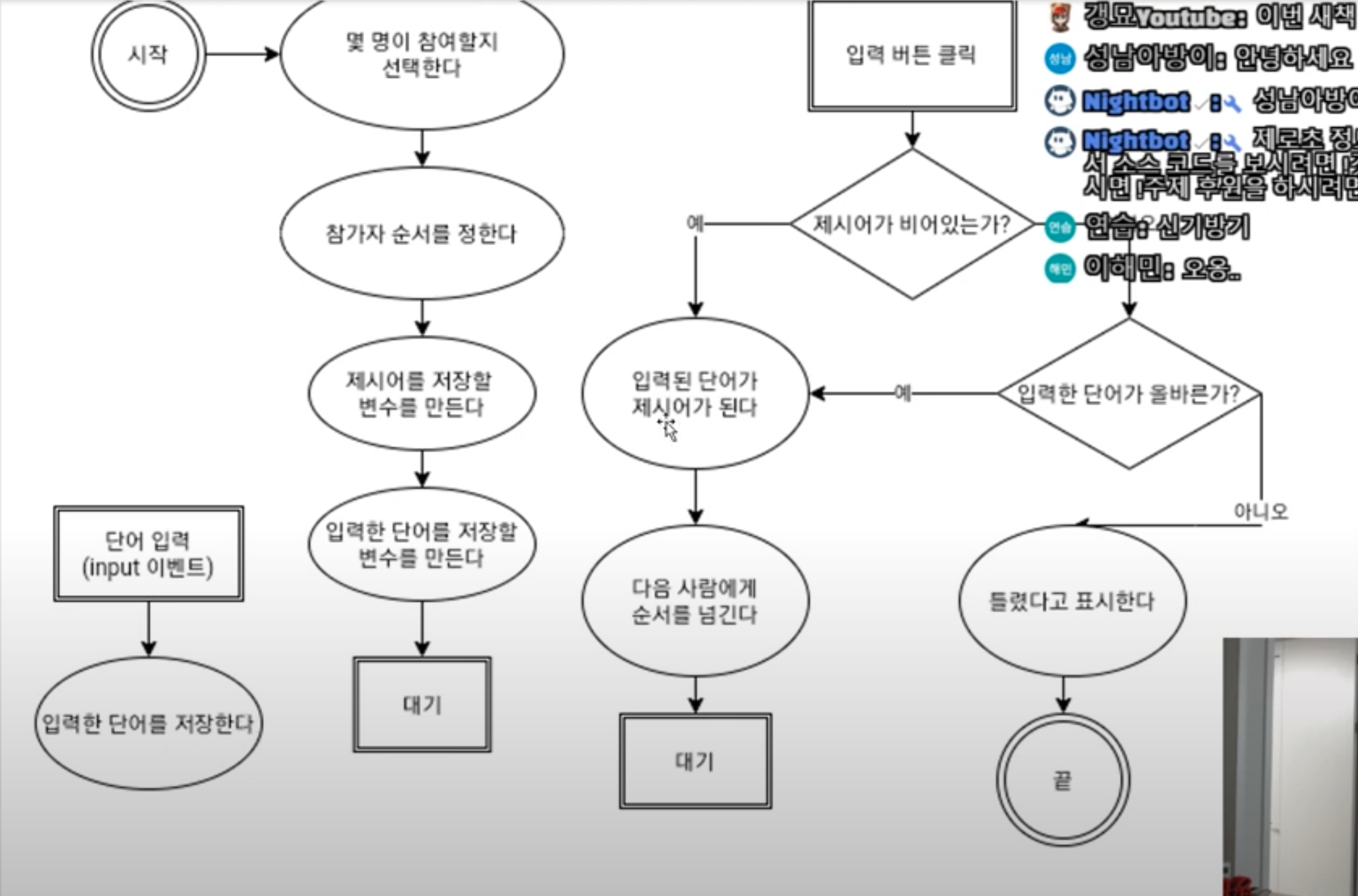
순서도 필수사항🚥
1. 프로그램 절차의 개수는 정해져 있어야 한다.
2. 각 절차는 항상 같은 내용이어야 한다.
3. 모든 가능성을 고려해야 한다.
4. 예시는 절차를 검증하는 데 사용한다.
쿼리셀렉터 🧚♂️
document.querySelector('span'); //이 경우 자바스크립트는 첫번째 스팬을 선택한다.
document.querySelector('#order); //id 선택자 & 자바스크립트는 id 한 번만 나온다고 생각해서 한 번만 사용하자
documnet.querySelectorAll('.btn'); //클래스 선택자
documnet.querySelectorAll('button .btn'); //버튼 태그 & 클래스 선택자
콜백 or 리스너 함수 or 익명함수
document.querySelector('input').addEventListener('input', function() {
console.log('글자 입력');
})
document.querySelector('button').addEventListener('click', function() {
console.log('버튼 클릭');
})
콜백 or 리스너 함수
const onClickButton = () => {
console.log('버튼 클릭');
};
document.querySelector('button').addEventListener('click', onClickButton)
<!DOCTYPE html>
<html lang="en">
<head>
    <meta charset="UTF-8">
    <meta name="viewport" content="width=device-width, initial-scale=1.0">
    <title>끝말잇기</title>
</head>
<body>
    <div><span id="order">1</span>번째 참가자</div>
    <div>제시어: <span id = "word"></span></div>
    <input type="text">
    <button>입력</button>
    <script>
        const number = parseInt(prompt('몇 명이 참가하나요?'),10);
        const $button = document.querySelector('button');
        const $input = document.querySelector('input');
        const $word = document.querySelector('#word');
        const $order = document.querySelector('#order');

        let word;
        let newWord;

        const onClickButton = () => {
        if(!word){
            //비어있다.
            word = newWord;
            $word.textContent = word;


            const order = Number($order.textContent);
                if(order === number){
                    $order.textContent = 1;
                }else {
                    $order.textContent = order + 1;
                }
                $input.value = '';
                $input.focus();
        }else{
            //비어 있지 않다.
            if (word[word.length-1] === newWord[0]) {
                word = newWord;
                $word.textContent = word;


                const order = Number($order.textContent);
                    if(order === number){
                        $order.textContent = 1;
                    }else {
                        $order.textContent = order + 1;
                    }
            }else{
                alert('올바르지 않은 단어입니다.');
            }

            $input.value = '';
            $input.focus();

        }
    };

        const onInput = (event) => {
            newWord = event.targe.value;
        };

        $button.addEventListener('click', onClickButton);
        $input.addEventListener('input', onInput);
        </script>
</body>
</html>